 Docs
Docs
📖 Custom Dictionary Optimization
Speech recognition models sometimes misidentify professional terms, names, or industry jargon as homophonic errors. Through the custom dictionary feature, you can establish automated correction rules, allowing the system to automatically fix these known errors after recognition—making results more accurate over time.
1. Three Correction Rules
Access the "Dictionary" page from the left sidebar to manage the following three rule types:
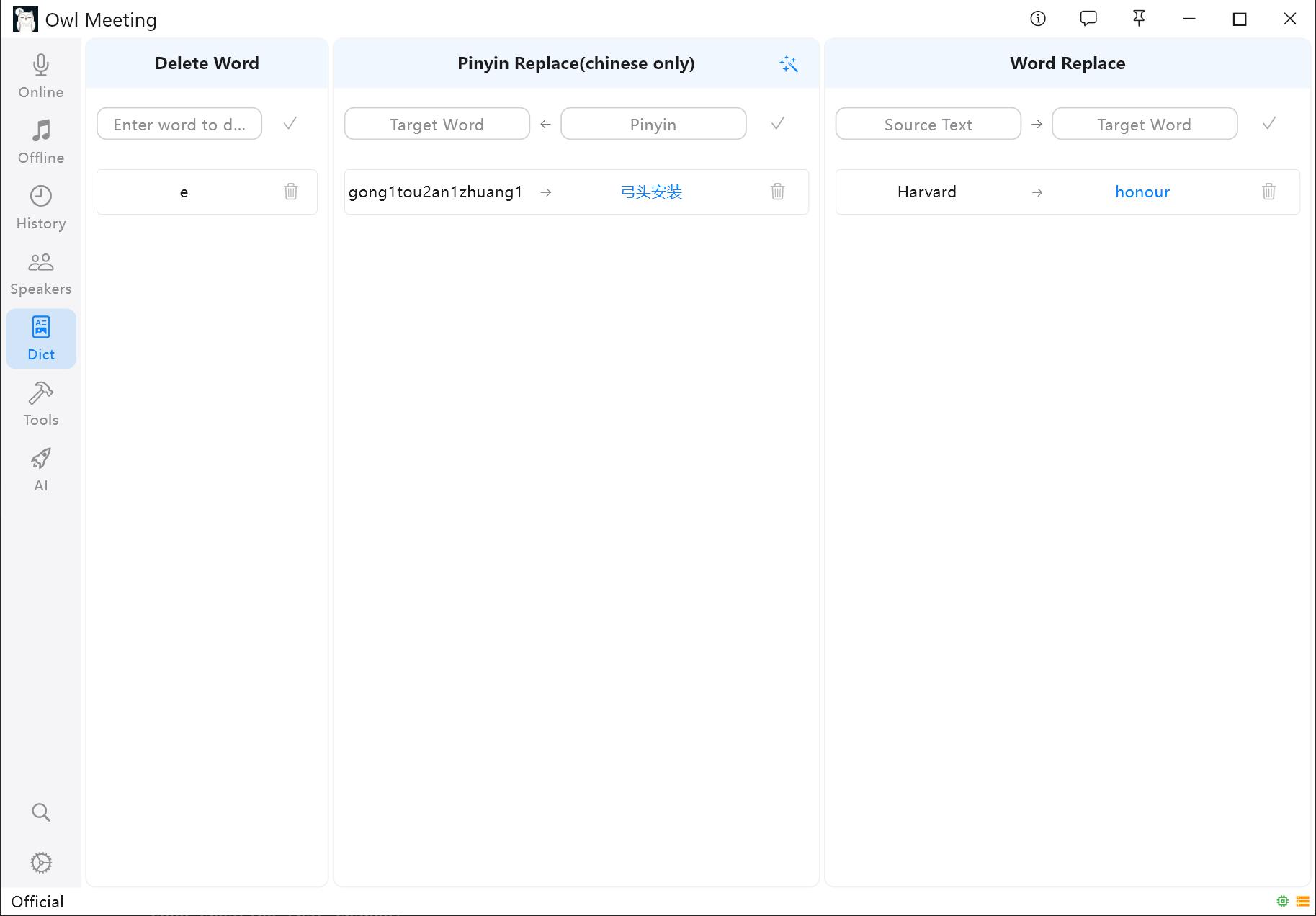 Dictionary rule management interface
Deletion Rules
Thoroughly remove specified words from the recognition result. Ideal for filtering filler words and repeated phrases.
- Example: Adding "um", "uh", "you know" will automatically clear these words from the transcript.
Text Replacement
Directly replace misrecognized text with correct text. Ideal for fixing consistent typos.
- Example: "AI assistent" → "AI Assistant", "Meeting notes" → "Minutes"
Phonetic Replacement (Chinese Only)
Correct errors based on phonetic matching. This is the most effective way to fix errors when the model captures the correct sound but outputs wrong characters.
- Input the target characters, and the system automatically generates the corresponding pinyin.
- Example: Inputting "永磁" (yong3ci2) will automatically correct all homophonic errors like "泳磁" or "勇磁".
2. Smart Term Extraction
If you have a correct reference text (e.g., meeting agenda, product manual), you can let the system automatically extract professional terms from it:
- On the Dictionary page, click "Smart Extraction".
- Paste a snippet of reference text into the input box.
- Select extraction method (Proper Nouns / High Frequency / New Terms) and quantity.
- Click "Start Analysis" to see candidate terms.
- Review the list and import confirmed terms to the dictionary with one click.
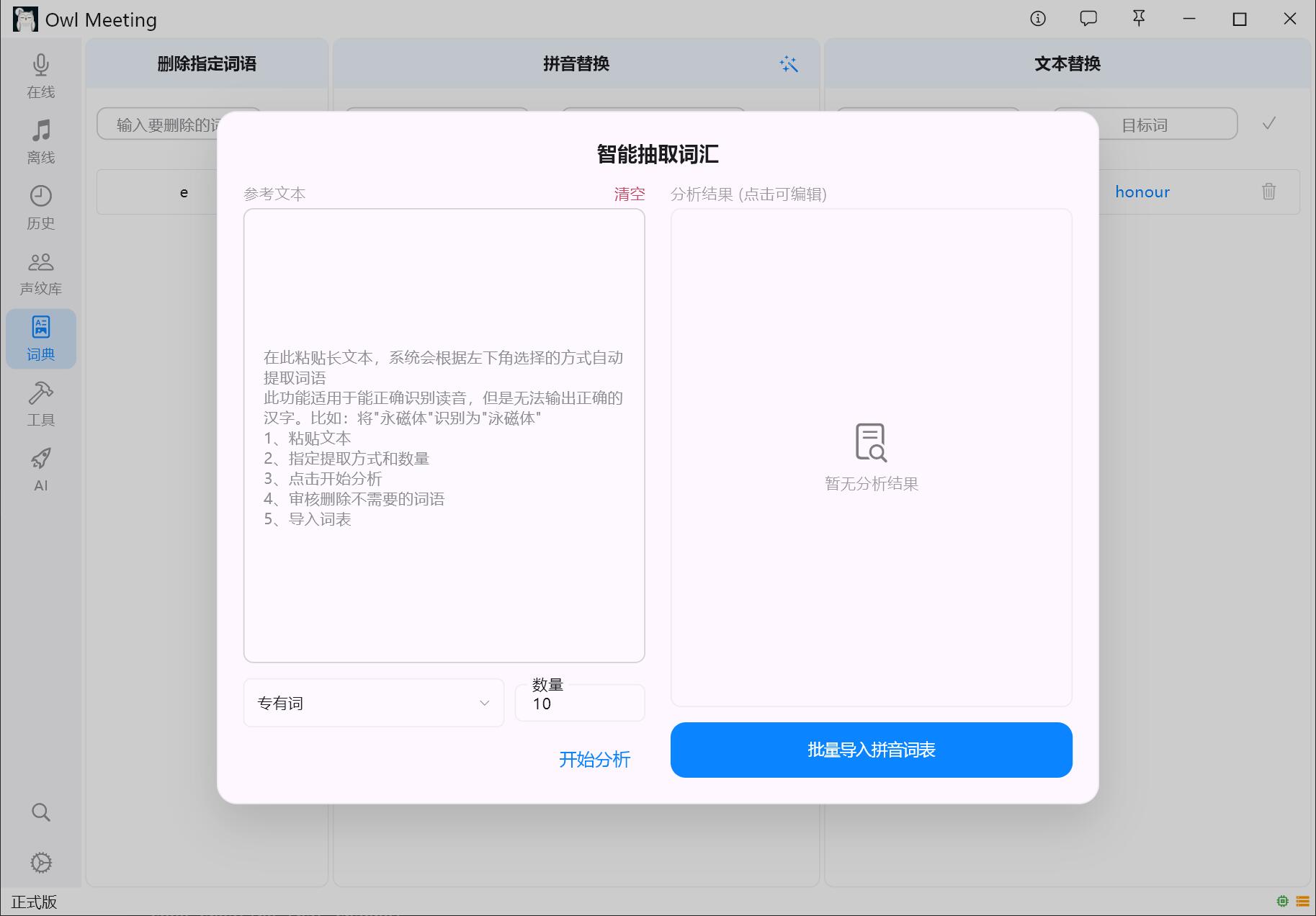 Smart term extraction interface
This feature is perfect for quickly building a professional word list before starting a new industry project.
3. Bulk Import Phonetic List
If you already have a large list of terms to be corrected, use the bulk import function to load phonetic lists all at once, saving the trouble of adding items individually.
4. Easiest Maintenance Method
You don't need to visit the Dictionary page specifically. When performing batch replacement or deletion in History Details, check "Sync Dictionary" to automatically save the modification as a persistent rule.