 Docs
Docs
Efficient Editing Tips
After recognition is complete, Owl Meeting provides rich editing, proofreading, and export tools to help you quickly polish preliminary recognition results into high-quality manuscripts or subtitles.
1. Edit While Listening: Audio-Sync Proofreading
This is the most intuitive proofreading method, ideal for checking word-by-word against the original audio:
- Click any text segment card on the history detail page.
- The built-in player will automatically jump to the start of that segment and begin playback.
- Correct text directly while listening to the original audio, without manually dragging the timeline.
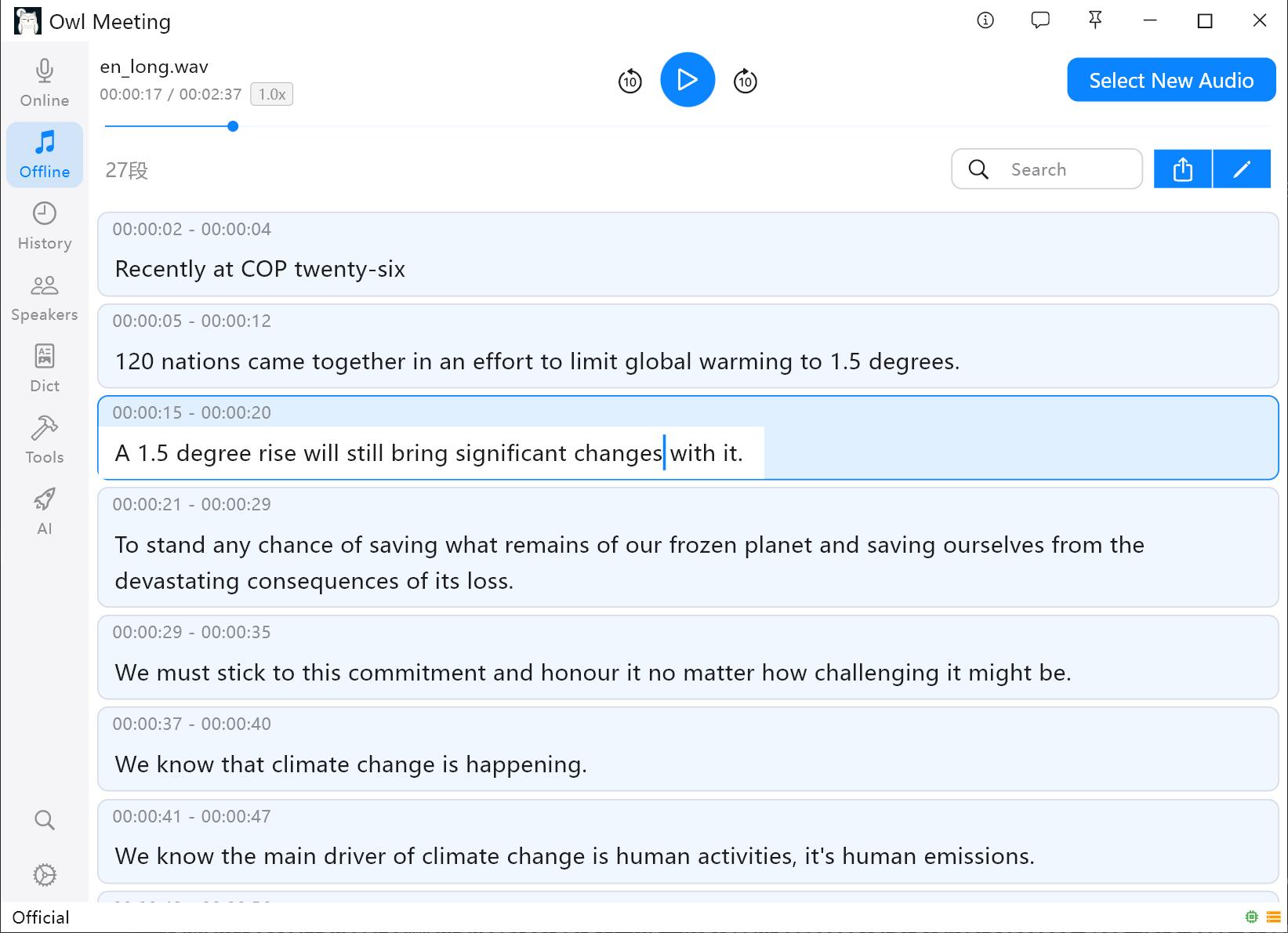 Edit while listening interface
2. In-session Search: Locate Key Content Fast
- Enter keywords in the search box at the top of the detail page and press Enter.
- Click the icon on the left to switch search fields: [Original] / [Translate] / [Correct] / [Custom].
- Use "Previous / Next" buttons to jump quickly between results.
3. Speaker Filtering & Renaming
When transcription results contain multiple speakers:
- Filter by Person: Use the [Filter Speakers] function on the detail page to show only specific speakers for easier review.
- Batch Rename Speakers: Click a speaker's name to perform a global rename. If the system assigns a temporary ID like
Speaker_0, you can change it to a real name in one click, and all associated segments will update automatically.
4. Batch Editing: One-click Correction
- Click the [Edit] button (pencil icon) in the top right to enter Batch Edit mode.
- Enter the target word, and choose [Replace] or [Delete].
- Toggle [Case Sensitive] if needed.
- Select the fields (Original/Translate/Correct/Custom) and target segments.
- Execute batch processing and save.
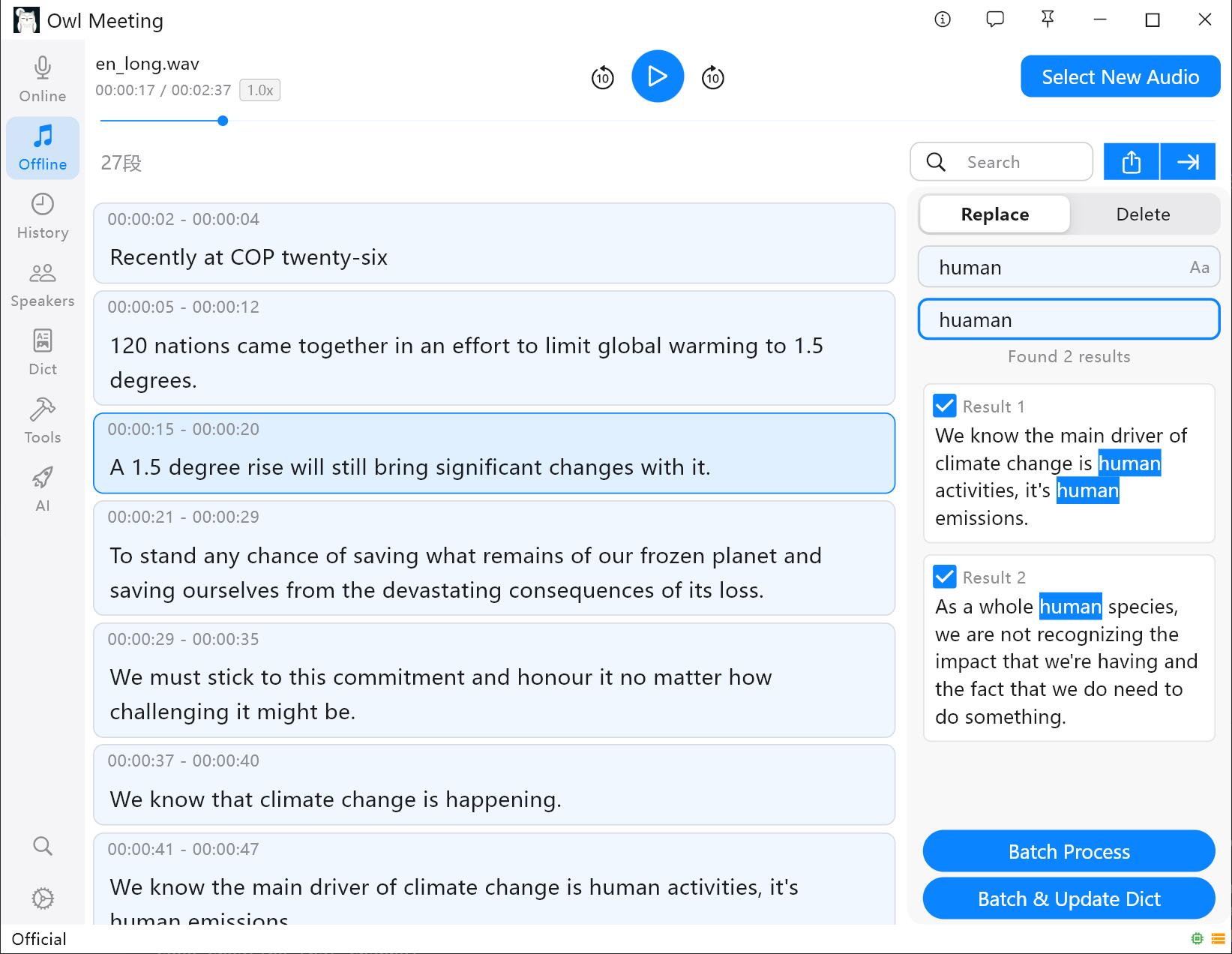 Batch editing operation interface
Dictionary Sync: When performing batch replacement or deletion, you can check [Sync Dictionary] to automatically save the modification as a Dictionary Rule. The system will automatically correct future occurrences.
5. Multi-format Export
Once proofreading is complete, click the Share button to export in various formats:
- Copy to Clipboard: Paste directly into any document editor.
- CSV Table: Suitable for data analysis in Excel.
- SRT Subtitles: Can be loaded directly into video editing software (e.g., Premiere, DaVinci Resolve) as a subtitle track.
Before exporting, you can freely choose the required fields (Timestamp, Speaker, Original/Translate/Correct/Custom) and time precision (Seconds or Milliseconds).