 Docs
Docs
Getting Started
Owl Meeting is a 100% local-running Windows voice productivity tool. All speech recognition and AI processing are completed on your computer without the need for an internet connection, and data is never exported. Following this guide, you can complete your first transcription in minutes.
1. Installation and System Requirements
- Install Source: Search for "Owl Meeting" in the Microsoft Store to install and enjoy automatic updates.
- Runtime Dependency: The speech recognition engine requires Visual C++ Redistributable runtime support. If a prompt appears during the first launch, please download and install it as guided, then restart the software.
- System Requirements: Windows 10/11, x64 architecture. No dedicated GPU is required; the CPU of an ordinary office computer is sufficient for smooth operation.
2. Model Download
After the first launch, you need to download AI models in the [Settings] → [Models] page. Once model download is complete, it can run fully offline:
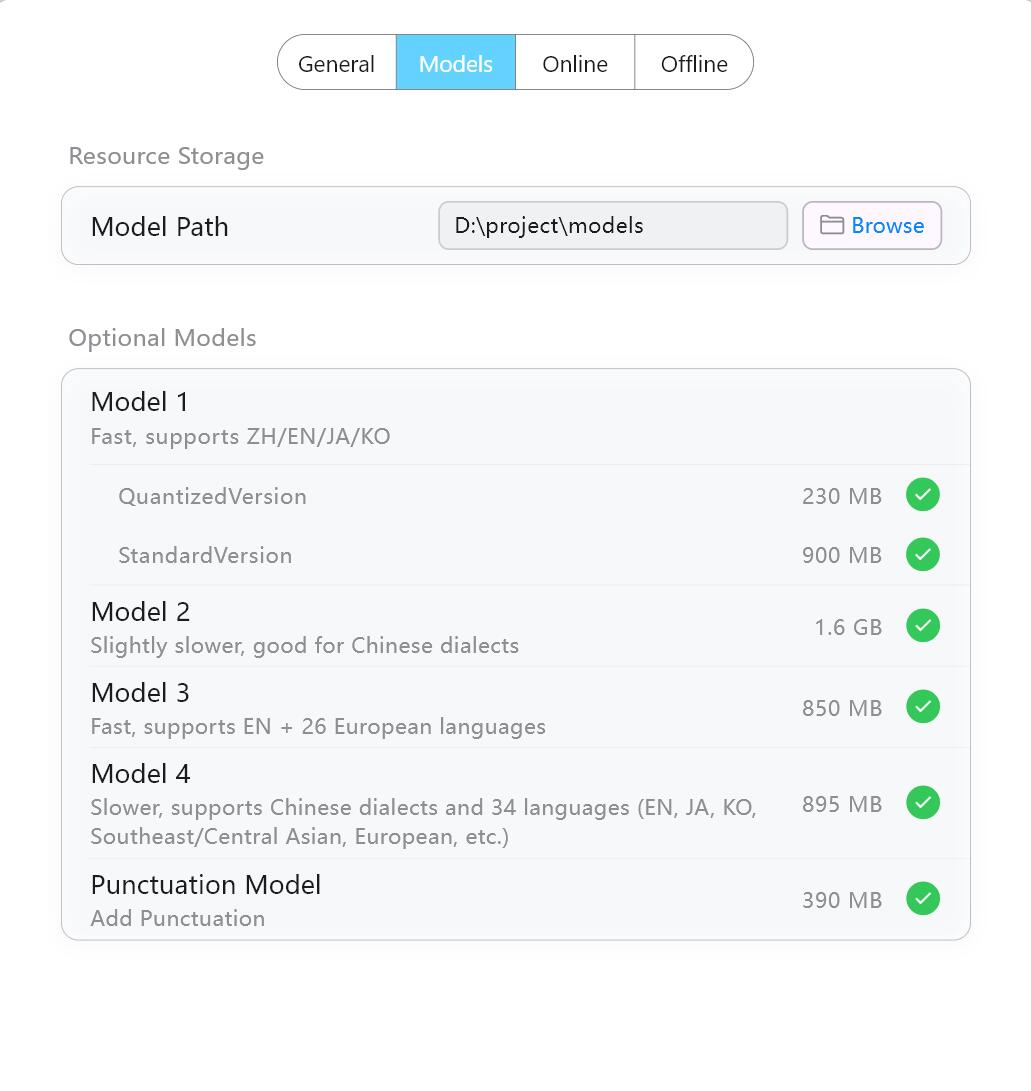 Model management and download interface
| Model | Function Description | Speed |
|---|---|---|
| Model 1 (Recommended) | Supports Chinese, English, Japanese, and Korean. Extremely fast, suitable for most scenarios. Preferred for new users. | Extreme Speed |
| Model 2 | Good at Chinese dialect recognition. Needs to be used together with the punctuation model. | Normal |
| Model 3 | Supports English and 26 European languages (Italian, Spanish, German, French, etc.). | Extreme Speed |
| Model 4 | Widest coverage: Mandarin, Chinese dialects, English, Japanese, Korean, Russian, French, German, Arabic, etc., over 30 languages. | Normal |
| Punctuation Model | Supports Chinese and English punctuation completion. Can be enabled to fix punctuation issues in recognition results. |
3. Quickly Start Your First Transcription
Owl Meeting provides two core working modes:
Real-time Transcription (Online Mode)
Suitable for ongoing meetings, lectures, or video calls:
- Click [Online] to enter the real-time transcription interface.
- Select sound source: Microphone (face-to-face meetings), System Sound (webcasts/videos), or Dual-channel mode (Tencent Meeting/Zoom, etc.).
- Select recognition model; Model 1 is recommended for new users.
- Click [Start Recording], and text will be displayed on the screen in real time.
For detailed parameters and advanced features, please refer to the Real-time Transcription documentation.
File Transcription (Offline Mode)
Suitable for processing existing audio or video files:
- Click [Offline] to enter the file transcription interface.
- Drag audio/video files into the window, or click [Select File]. Supports MP3, WAV, M4A, MP4, MKV, and other mainstream formats.
- Select recognition model and segmentation method on the right. Model 1 + Time Interval Segmentation is recommended for new users.
- Click [Start Recognition]; processing progress will be displayed in real time.
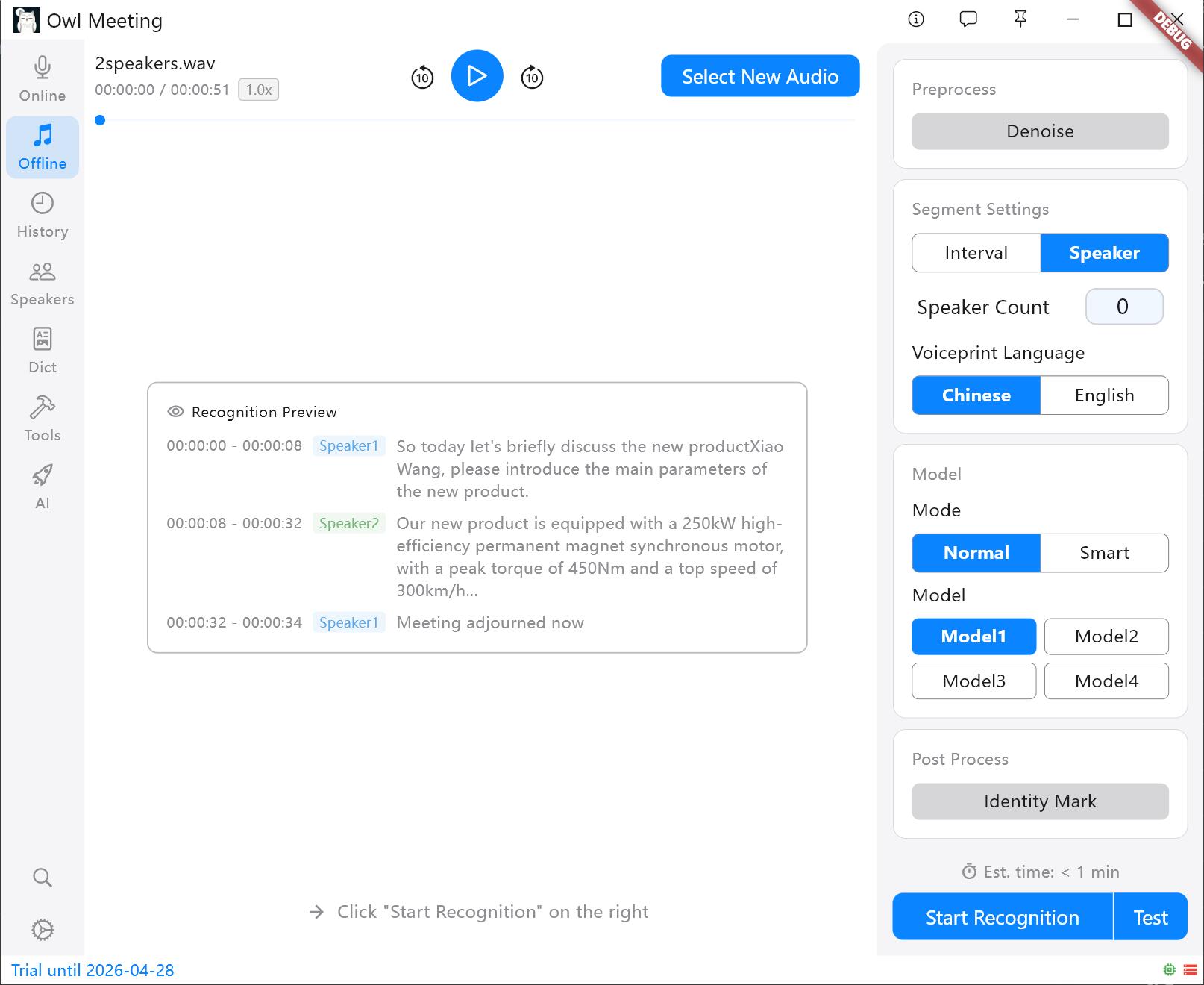 File transcription operation interface
For detailed parameters and advanced features, please refer to the File Transcription documentation.
4. Recommended Configuration for New Users
If you are a first-time user, the following configuration can help you get started quickly:
- Recognition Model: Model 1 (Fast, good general-purpose)
- Segmentation Method: Time Interval (VAD auto-segmentation, no extra config needed)
- Recognition Mode: Normal
- Denoising: Off for clear audio, on for noisy environments
Advance features such as speaker separation, Speaker Recognition, Custom Dictionary, and AI Assistant can be used later to gradually optimize effects.