 Docs
Docs
🎞️ Audio and Video File Transcription
The audio and video transcription mode (offline mode) is specifically designed for processing existing audio and video files. All processing is completed locally, ensuring your business privacy and data security.
🚀 Quick Start
- Import files: Directly drag audio/video files into the software window, or click the [Select File] button in the center.
- Select mode and model: Select the required processing method on the right side of the interface.
- Start immediately: Click the [Start] button below. You can see the processing progress in real time (Initialization -> Pre-processing -> Segmentation -> Recognition).
1. Audio Formats and Pre-processing
Owl Meeting has strong file compatibility, but understanding the following details before starting can significantly improve accuracy:
- Format Support: Native support for MP3, WAV, M4A, MP4, MKV, MOV, FLAC and almost all other mainstream audio/video formats.
- [Denoise]: If your recording has significant background noise, it is recommended to enable [Denoise] on the right panel. After processing, you can freely switch between original and enhanced sound in the player to preview the effect.
- Channel Recommendation: For multi-channel video files, it is recommended to use built-in tools to extract/convert to mono audio first for a more accurate recognition experience.
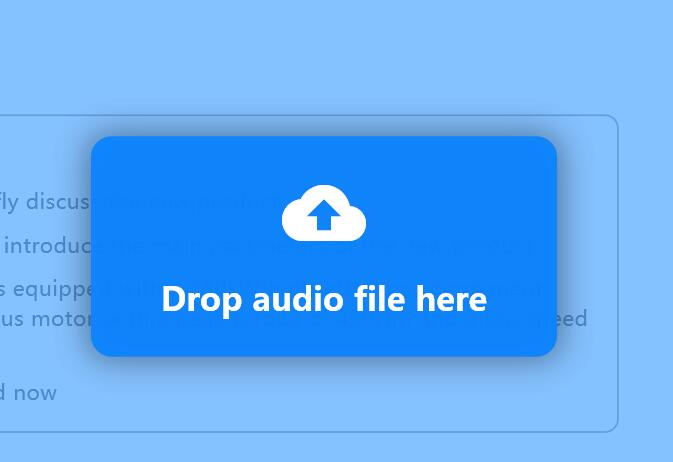 File drag-and-drop and format support
2. Recognition Mode and Segmentation
You can flexibly combine recognition strategies based on the complexity of the file content:
- Normal: The entire file uses the same voice recognition model for transcription. Simple and direct, the fastest speed.
- Smart: Used in conjunction with speaker identification. You can assign exclusive models to different identified speakers (e.g., assign Model 1 to Speaker A and Model 2 to Speaker B).
- Segmentation Strategy:
- Time Interval (VAD): Automatically segments based on voice pauses, suitable for personal statements and podcasts.
- Speaker: Automatically cuts based on voice characteristics. Tip: You need to specify a voiceprint model ([Chinese]/[English]) before starting; other languages can be selected based on the language family.
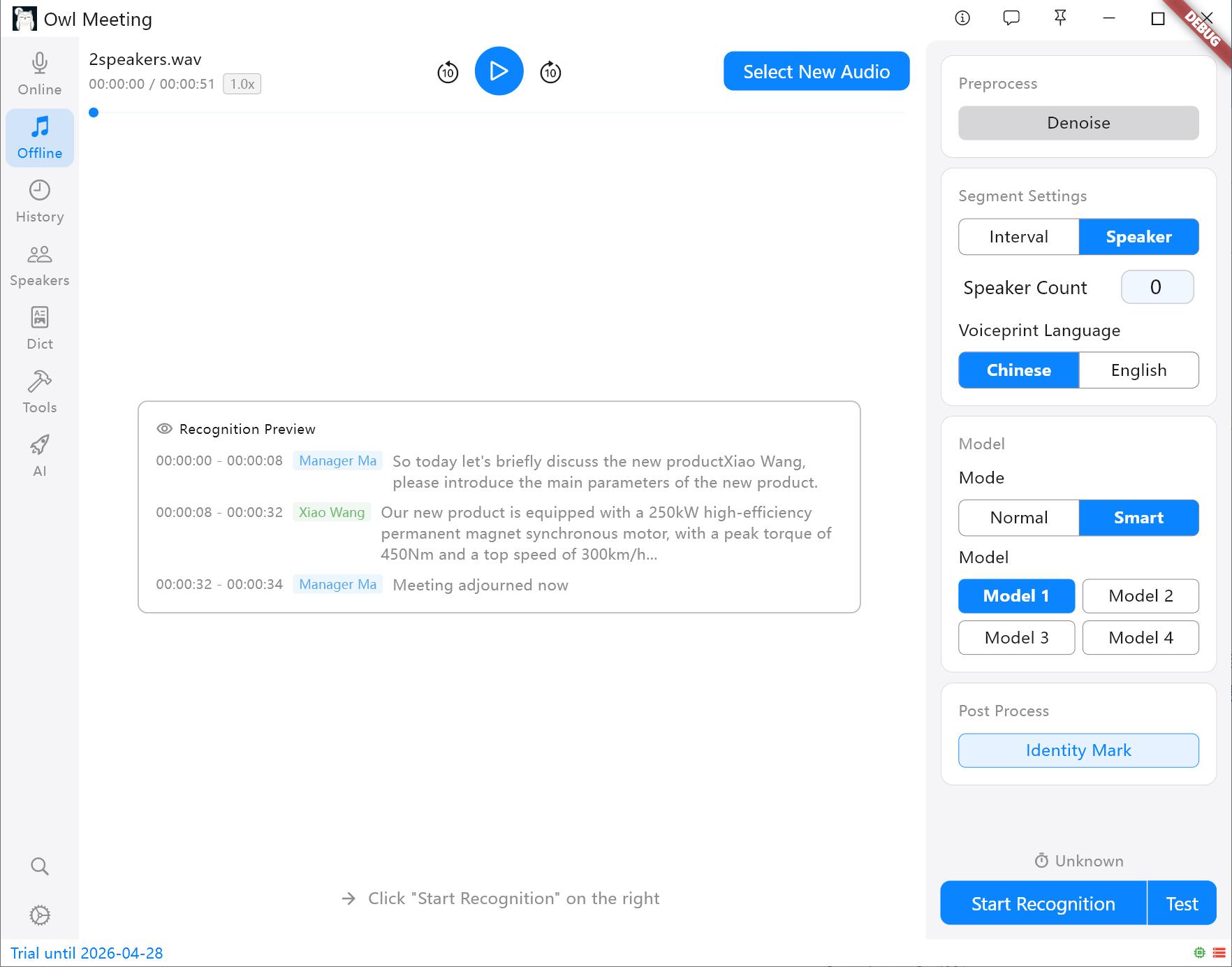 Segmentation methods and settings panel
3. Test Mode
Preview the recognition effect of settings.
- Test Mode: Before processing super long audio, you can use the test function to verify whether the current parameters meet expectations (it will use the current parameters to randomly select three minutes of audio for recognition).
4. Exclusive Settings and Fine-tuning
In the offline settings panel, VAD segmentation parameters (Voice Threshold, Min Silence/Speech/Max Speech Time, Padding) are the same as in real-time recognition. For details, see the Real-time Transcription documentation. The following are configuration items exclusive to file transcription:
Separation
When the segmentation method is set to [Speaker], the following parameters determine the quality of separation:
- Speaker Count: If you clearly know how many people are speaking in the audio, directly specify the specific number (1~10) for the best effect. Setting it to "Auto" will let the clustering threshold determine the number of people.
- Cluster Threshold (only effective in "Auto" mode): Controls the system's sensitivity to sound differences. The lower the value, the easier it is to separate different timbres into different people (one person may be split into two); the higher the value, the easier it is to group similar timbres as the same person (two people may be merged).
- Min Speech (s): Speech segments shorter than this duration will be discarded, filtering out very short noises like coughing or interjections.
- Max Merge Gap (s): Adjacent segments of the same speaker with a time interval less than this value will be automatically merged to reduce fragmented segmentation.
- Identity Mark: When enabled, the system will compare the identified speakers with those already entered in the [Speakers] and automatically label their real names. This is also a prerequisite for using [Smart].
- Voiceprint Language: Select [Chinese] for Chinese scenarios and [English] for English scenarios. Note: The feature spaces of Chinese and English voiceprint models are incompatible; choosing the wrong one will result in total match failure. Other languages need to be tested based on their language families.
- Identity Threshold (requires [Identity Mark]): Identity is determined only when the voiceprint comparison result is higher than this value. It should not be set too high, otherwise known personnel may not be recognized.
Advanced Segmentation Configuration
- Smart Merge: Automatically merges short sentences based on the time interval between adjacent segments, reducing fragmented segments and helping to improve overall recognition accuracy.
- Merge Gap (s): Merging is triggered when the interval between two segments is less than this value (seconds).
Model-Specific Configuration
- Model 1 Use Quantized: When enabled, inference speed is slightly faster, but accuracy is slightly reduced, which has little impact on most scenarios.
- Model 1 Language: Generally, "Auto" is fine; manually specifying the language ([Chinese]/[English]/Japanese/Korean) when it is clearly known can improve output quality.
- Model 1 Built-in Punct+ITN: Enable the model's built-in punctuation and number conversion, such as outputting "fifty kilometers" as "50 kilometers".
System Services
- Text to Number: Only supported for Chinese, converting spoken numbers to standard formats.
- Punctuation (ZH/EN): If the punctuation in the recognition results is abnormal (for example, a large number of periods appear after [Smart Merge] is enabled), this item can be enabled for punctuation repair (punctuation models must be downloaded in [Models] first).
5. More Efficient Post-processing
After recognition is complete, you can use built-in tools to directly generate high-quality manuscripts:
- Simplified/Traditional Conversion: One-click conversion between Simplified and Traditional Chinese (supports matching for Taiwan and Hong Kong Traditional Chinese).
- Content Deduplication: Automatically remove duplicate words caused by audio overlap or model hallucinations.
- Professional Word Replacement: Use the [Dict] function to one-click correct professional terms or name abbreviations in the text.
6. Extreme Performance
Thanks to the deeply optimized local inference engine, Owl Meeting can achieve extreme speeds even on the CPU of an ordinary office computer:
- Entry-level/Old Computers (e.g., i5-4210m): A 30-minute audio file can be completed in about 3 minutes.
- Mainstream Home/Office Computers (e.g., i5-11400H): A 30-minute audio file usually takes only about 1 minute.
7. FAQ and Tips
- Q: Why is it repeatedly emphasized in the documentation to convert multi-channel to mono?
A: Multi-channel (stereo) recordings are prone to echo interference in complex environments. After converting to mono, the extraction of voiceprint features by the AI engine will be more pure, which can significantly improve the accuracy of speaker separation. - Q: The identified speakers became Speaker_0, Speaker_1...?
A: These are temporary IDs assigned by the system. You can directly click these IDs on the results page for global renaming. The system will automatically record them and they will take effect in subsequently exported SRT or TXT files. - Q: I want the recognized text to be directly converted to Traditional Chinese?
A: After recognition is complete, click the "Simplified/Traditional Conversion" button below and select the corresponding regional code (such as "Traditional Chinese" or "Taiwan Traditional") to convert the entire text with one click.